Most wishlists are won or lost on the store page. Glitch tracks every game on Steam: store pages, reviews, prices, players, followers, release dates, demos, DLC, languages and social links. Your AI uses it to audit your page, size up competitors, pick a launch window and price, and read your own Steam sales.
5 minto ask
1 runfor results
A Steam page audit with fixes ranked by impactA comparison against similar games launching around youLaunch window, pricing, demo and DLC recommendations backed by Steam dataYour own Steam sales, traffic and wishlist funnel in plain languageA launch readiness checklist
Glitch Agent scores your page and reviews your capsule and header, short and long description, tags, trailer, screenshots and call to action, then explains what is hurting wishlists. Reports: store page health score, store page completeness, store copy analysis, visual asset inventory, store asset standards and store page conversion score.
Setup
Make sure your game in Glitch has its Steam page linked.
Glitch Agent runs use your Glitch agent plan or credits.
Steam page audit
Run a Glitch Agent review of my Steam page. Tell me what is hurting wishlists, ranked by impact, with a concrete fix for each: capsule, short description, tags, trailer and screenshots.
Store page scores
Use Glitch Steam reports to give me my store page health score, completeness and conversion score. Compare my asset count (screenshots, trailers, capsule sizes) with Steam store asset standards and list what is missing.
Glitch Agent loads your live Steam page, takes scroll-by-scroll screenshots and reviews each one the way a shopper sees it, including age gates, regional blocks and other access problems.
Setup
Your Steam page must be public, or reachable with a link.
Visual page scan
Run a full Steam page scan with Glitch Agent: screenshot my page from top to bottom, review each screenshot, and tell me what a shopper notices first, what they skip and what makes them leave.
Upload a new capsule, screenshots or trailer cut and get feedback before the store sees it.
Setup
Keep drafts in marketing/steam/.
Capsule check
Upload marketing/steam/capsule-v2.png to Glitch and ask Glitch Agent whether it is clearer than my current capsule at small sizes, and what to change.
glitch_upload_fileglitch_start_agent_run
4
Read reviews and live demand
Glitch tracks review scores and volume, recommendation counts, current players (sampled hourly) and follower counts over time. Reports: review health snapshot, review risk momentum, current player history, follower count history, demand proxy score and live demand score.
Setup
Works for your game and for any game on Steam.
Follower counts appear where Glitch has a reliable source for them.
Review health
Use Glitch Steam reports to show my review health and review risk momentum. Is my score trending up or down, and what do recent negative reviews have in common?
Live demand
Chart my current player history and follower history from Glitch, then give me my live demand score and explain what is driving it.
Build your competitive set from games with matching genres, tags and release timing, then see where you stand out. Reports: competitive set, competitor pressure score, genre and category check, top current-player, most-followed and most-reviewed games.
Setup
Build a lookalike list first (see Twitch Research), or let Glitch match on genre and tags.
Competitive review
Use Glitch to compare my Steam page with the five most similar games launching this quarter: pricing, release timing, tags, capsule message and trailer angle. Show me where my game can stand out.
Tag check
Run the Glitch genre and category check on my game. Which of my tags and categories match how similar successful games are listed, and which are hurting discoverability?
See how crowded each week is and how saturated your genre is before you lock a date. Reports: release calendar density, genre saturation map, launch window score and market opportunity score.
Setup
Set your planned release date on Steam or in Glitch.
Launch window
Use Glitch Steam reports to score my launch window. Show release calendar density for the eight weeks around my date and how saturated my genre is, then suggest the best two weeks to launch.
Compare your price with what similar games charge and how those price bands review. Reports: price band benchmarks, price by genre and pricing fit analysis.
Setup
Set a price on Steam, or tell your AI the price you are considering.
Pricing fit
Run a Glitch pricing fit analysis for my game at $14.99. Compare it with price bands for my genre and how each band reviews, and tell me if I should go higher or lower.
Find out whether a demo would help, how similar games use DLC and how many achievements players expect. Reports: demo availability, no-demo opportunities, demo priority score, demo impact opportunity, DLC expansion strategy and opportunity, achievement coverage and achievement design benchmark.
Setup
No setup needed. Glitch compares your game with similar games on Steam.
Demo decision
Use Glitch Steam reports to tell me whether I should ship a demo. Show demo availability for similar games, my demo priority score and the expected impact.
DLC and achievements
Compare my DLC plans and achievement count with similar games on Steam using Glitch. Recommend a DLC strategy and an achievement count for my game.
Reach more players: languages, platforms and ratings
Spot the languages, platforms and content settings that similar games support and you do not. Reports: localization gap, localization coverage, language count bands, platform coverage gap, platform support, and age and content positioning.
Setup
Keep supported languages and platforms up to date on your Steam page.
Localization gap
Use Glitch to find my localization and platform gaps. Which languages and platforms do similar games support that I do not, and which would add the most players for the least work?
Glitch maps the social profiles linked from Steam pages, so you can see which platforms similar games use, how big their audiences are and whether social presence lines up with reviews and players. Reports: social profile snapshot, social platform usage, social audience benchmarks, social links vs. reviews and online players, social engagement benchmarks and marketing message angles.
Setup
Add your own social links to your Steam page so Glitch can compare them.
Social benchmarks
Use Glitch Steam reports to show which social platforms games like mine link to, their typical audience size, and whether games with more social links get more reviews. Tell me which two platforms I should focus on.
Message angles
Give me Steam marketing message angles for my game from Glitch, based on what similar games highlight on their store pages.
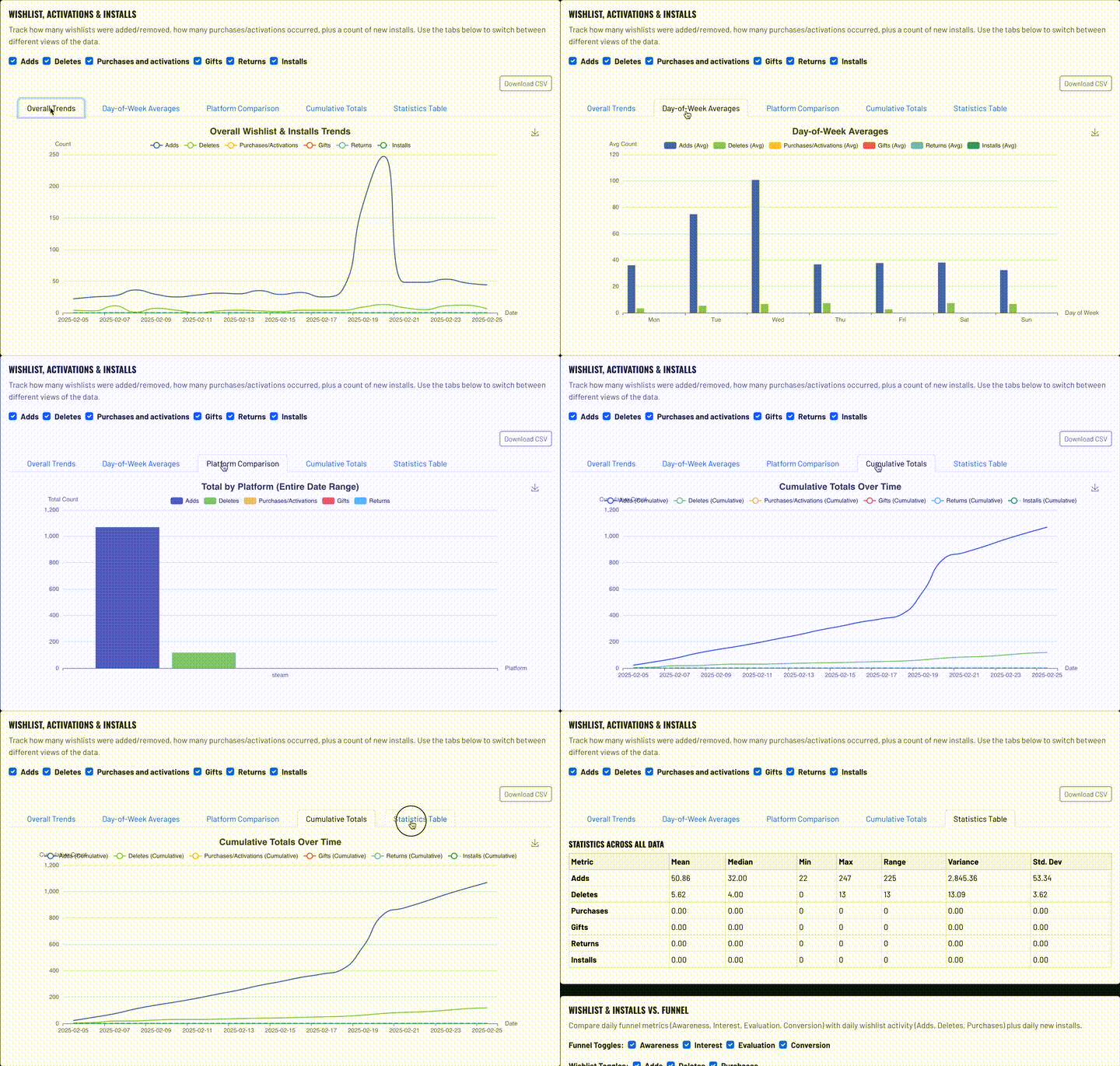
Bring in your Steamworks partner data and your AI can answer questions about your own numbers. Reports: sales and revenue over time, sales by country, sales by product, daily active vs. peak players, playtime distribution, traffic sources, marketing sources and the wishlist-to-sales funnel.
Setup
Steam wishlist and sales data needs your Steam partner report import or a Steam Financial API key.
Sales and traffic
Use my Glitch Steam partner reports to show sales and revenue for the last 90 days, my top countries and where my store traffic comes from. What changed and why?
Wishlist funnel
Show my Steam wishlist-to-sales funnel and playtime distribution from Glitch. Where am I losing players, and what should I fix first?
Pull everything together into scores you can act on before launch or before you pay for traffic. Reports: launch readiness, ad readiness score, patch relaunch candidate score and weakest store pages for comparison.
Setup
Run the audit and competitor steps first for the most useful report.
Launch readiness
Create a Steam launch readiness report for my game with Glitch Agent: store page, trailer, screenshots, tags, demo and wishlist risks. End with a checklist ordered by what to do first.
Ad readiness
Give me my Glitch Steam ad readiness score. Is my store page ready to convert paid traffic, and what must I fix before I spend on ads?
Create campaigns, ad groups and creatives on Reddit, Meta, TikTok, Google and X from one chat. Everything starts as a draft, and nothing spends until you sync it live.